
Promoting your speed dating event on social media: an organizer's playbook
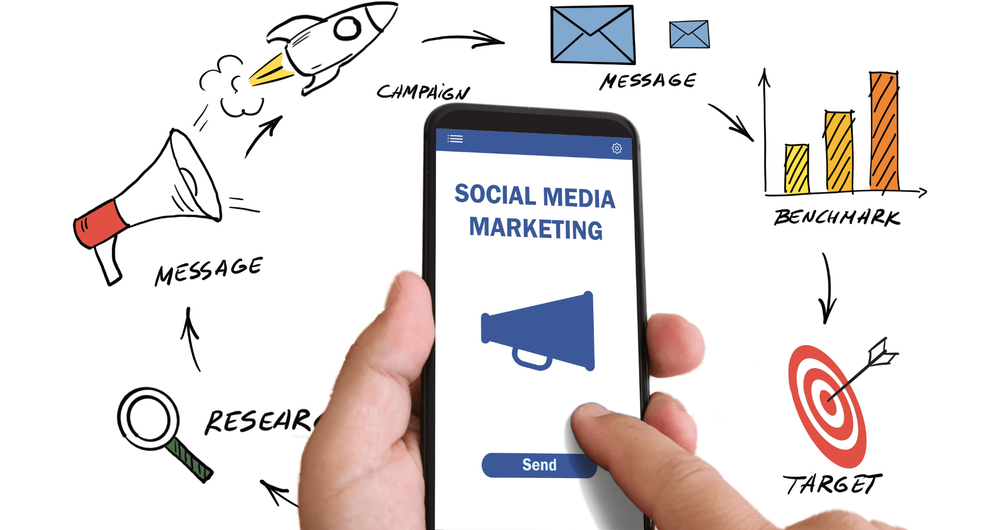
Social media is the cheapest, fastest way to fill a speed dating event — but only if you treat it like a campaign instead of a few last-minute posts. This page walks through exactly what to set up, what to post, and when, from four weeks out to the morning after.
If you’re brand new to running events, also read How to run a speed dating event – a quick start guide.
Before you start#
Get these in place before you post anything. Trying to promote an event with half-finished basics wastes the early momentum that’s hardest to recover later.
- Your Fanciful event page is live and tested. This is the link every post sends people to. Open it on your own phone; make sure the cover image, date, venue, and price all look right.
- A short, sharable URL or handle. Use your Fanciful page URL directly, or a short branded link if you have one. Keep the same link everywhere — don’t post different URLs on different platforms.
- A cover image you’re happy with. It will appear as the link preview every time someone shares your event. Size it 1200 × 630 px so Facebook, LinkedIn and X all crop it cleanly.
- A one-sentence pitch. Who is the event for, where, when, and what makes it different. You’ll reuse this exact sentence in twenty places, so write it once and write it well.
- A target audience. Age range, location, and what kind of people you want at the event. Everything that follows — platform choice, post tone, ad targeting — is driven by this.
Pick your platforms#
You do not need to be on every platform. Pick the two or three where your target audience already spends time, and put real effort into those rather than spreading thin.
| Platform | Best for | Cost / effort |
|---|---|---|
| 30s and up; local community groups; running paid ads; Facebook Events. | Free + paid ads. Strong organic reach in groups. | |
| 20s–30s; visual content; reels for reach; collaborations with local accounts. | Free. Needs decent visuals. | |
| TikTok | Under-30s; broad reach with very little ad spend; short candid videos work better than polish. | Free, but time-intensive. |
| X / Twitter | Quick announcements; replying to local chatter; PR with local journalists. | Free. Reach is limited unless you already have an audience. |
| Corporate / professional speed dating, networking events, or charity / fundraising angles. | Free. Skip unless your event is professional in tone. |
As a Fanciful event creator, you’ll want business pages set up on as many of these as you can realistically maintain. A neglected page is worse than no page — pick fewer and keep them current.
Set up your business pages#
For each platform you pick:
- Use the same handle on every platform if you can. Anything close to your event brand works.
- Use the same profile image and cover image across platforms so people recognize you when they see your account a second time.
- Put your Fanciful event link in the bio / “about” / website field. This is often the only clickable link, so make it count.
- Pin one post that says exactly what the event is, when, where, and how to buy a ticket. New followers should never have to scroll to find this.
Your four-week posting schedule#
This is a starting template. Tighten or stretch it to fit your sales window, but keep the rhythm: announce → educate → build social proof → urgency → last call.
| Week | Goal | What to post |
|---|---|---|
| 4 weeks out | Announce the event | Big announcement post with cover image, date, venue, ticket link. Pin it on every platform. |
| 3 weeks out | Explain why people should come | ”What happens at a speed dating event” explainer; a short video tour of the venue; FAQs. |
| 2 weeks out | Build social proof | Testimonials from past events; behind-the-scenes setup shots; reply to comments in detail. |
| 1 week out | Urgency | ”Half sold out” / “10 tickets left” posts. Daily countdown stories. Tag the venue every time. |
| Day before | Last call | Final ticket link with a deadline (“sales close tonight at 9pm”). Stories every few hours. |
| Event day | Live coverage | Story or post from the venue setup; one mid-event group shot (with permission); a thank-you post. |
| Day after | Carry momentum to the next event | Recap post with photos, a testimonial, and a link to the next event’s tickets. |
Post at the times your audience is actually online, not when you happen to be at your laptop. For most local audiences in the UK that’s weekday evenings (7–10pm) and Sunday afternoons.
Post types that work#
Mix these. Don’t post the same thing in seven different ways — people notice and tune out.
- The cold announcement. Cover image + one-sentence pitch + ticket link. Repeat once a week with slightly different copy.
- The countdown. “Two weeks to go” / “Three days to go”. Use the same template each time so it becomes a series.
- The icebreaker question. Ask something light that gets replies — “What’s the best opening line you’ve ever been hit with?” Replies build comment counts, which platforms reward with reach.
- The testimonial. Quote a past attendee in plain text on a colored background, or as a short video. One sentence is enough.
- The behind-the-scenes shot. Venue being set up, table numbers laid out, your laptop with the Fanciful dashboard open. Makes the event feel real and close.
- The “what happens” explainer. Walks a nervous first-timer through arrival, the date rounds, and what happens after. Reduces the biggest reason people don’t buy: not knowing what they’re walking into.
- The urgency post. “Tickets up to £25 from tomorrow” or “X tickets left at this price”. Only use this when it’s true.
- The recap. Day-after photos and a thank-you. This is also your warmest moment to plug the next event.
Hashtags and local discoverability#
Hashtags do less for reach than they used to, but they still help people find your event from the local tab.
- One event hashtag unique to you (e.g.
#FancifulNottinghamMay). Use it on every post about this event so all your coverage clusters together. - Two or three local tags (
#NottinghamEvents,#NottinghamSingles,#ThingsToDoNottingham). - One category tag (
#SpeedDating,#SinglesEvent).
Don’t pile on more than five or six. Tag the venue’s official account in the post itself — they often re-share, which puts you in front of their followers for free.
Facebook Events alongside Fanciful#
Facebook Events is the one platform feature worth setting up regardless of where you spend most of your time, because it surfaces your event in Facebook’s local discovery feed.
- Create a Facebook Event from your business page. Use the same cover image as your Fanciful page.
- In the event description, put the Fanciful ticket link on its own line, near the top. People skim — don’t bury it.
- Set the event location to the venue (search; don’t type a free-text address).
- Invite people you know personally; ask the venue to share the event on their own page.
- Post into the Facebook Event itself two or three times a week — the same content you’re posting on your page, but worded as updates to people who’ve already shown interest.
Always send people to your Fanciful event page to buy tickets. Facebook Events is for awareness; ticket sales, the guest list, and matches live on Fanciful.
Engaging with replies and DMs#
The fastest way to lose a buyer is to leave their question sitting for two days.
- Aim to reply to every comment and DM within a few hours during the day, by end-of-day at the latest.
- Have stock answers ready for the four or five questions you’ll get every event: dress code, gender balance, refund policy, what happens if there’s an imbalance on the night, accessibility.
- For awkward DMs (people asking if the event is “really” speed dating, complaining about price, etc.), reply once politely with the facts and move on. Don’t argue in public threads.
- Turn good DM conversations into testimonials by asking, after the event: “Would you mind if I shared what you said as a quote on our page?”
Partners and micro-influencers#
You don’t need a famous influencer. You need people who already have the ear of your target audience.
- The venue. They have an existing following of locals who already trust them. Ask them to share once, and to mention the event to regulars.
- Local Facebook groups. “Things to do in [town]”, “Singles in [town]”, expat groups, hobby groups whose members fit your audience. Read the group rules; most allow one event post a week. Don’t spam.
- Local micro-influencers (1k–20k followers in your town). Offer them a free ticket and a guest spot in return for a story and a feed post. A small local account beats a big national one every time for events.
- Podcasts and local press. If your event has an angle (charity fundraiser, themed night, demographic-specific), a 30-minute local-radio interview moves more tickets than a week of posting.
Paid ads: when and how#
You don’t need paid ads for every event. Consider them when:
- You’re running in a new city where no one knows you yet.
- Tickets aren’t moving with two weeks to go.
- You’ve got a specific angle (a holiday weekend, a charity tie-in) that benefits from extra reach.
A starter approach:
- Budget: £30–£80 total spread across the final two weeks for a typical 20-person event. Don’t burn the budget all in one day.
- Platform: Facebook + Instagram ads (run together through Meta Ads Manager) cover most local audiences. TikTok ads work for under-30 events but need short video creative.
- Audience: target by location (10–20 mile radius of your venue), age range, and relationship status (“single”) where the platform allows. Keep it tight — small, focused audiences cost less per click.
- Creative: use a post that’s already done well organically. New ad creative is the slowest way to learn what works.
- Goal: send people to the Fanciful event page. Set the conversion as a website visit unless you’ve set up pixel tracking on Fanciful (which is currently not supported out of the box).
Stop the ad two days before the event — by that point if someone hasn’t bought, an ad isn’t going to convert them.
Event day: live posting checklist#
- A photo of the venue ready before doors open, in stories.
- One group photo mid-event, with permission. Don’t post faces without asking.
- A “thank you, what a night” post within an hour of close, even before you go home. The buzz is highest then.
- Reply to anyone who comments on the live posts the same evening.
After the event#
- Within 24 hours: recap post with two or three photos and one quote from an attendee. End it with a link to the next event.
- Within a week: collect any testimonials people sent you in DMs (with permission) and save them for the next event’s social-proof phase.
- Review what worked: which post got the most reach, which got the most ticket clicks. The next campaign starts from those, not from a blank page.
Common mistakes#
- Posting only when tickets are slow. Audiences notice. Post on a steady schedule whether you have 5 tickets sold or 25.
- Posting the same image with the same caption every time. Vary at least one of those each post.
- Burying the ticket link. It should be on the first line of every event-day post, in every bio, and pinned at the top of every page.
- Ignoring comments and DMs. A reply with a friendly tone converts more tickets than another scheduled post.
- Going dark after the event. The day-after recap is half of next month’s campaign.
If you stick to a schedule, keep the same link everywhere, and answer questions quickly, you’ll fill events more reliably than most organizers who spend ten times your budget. Promotion is a habit, not a campaign.